Ponder/Best tools/Best AI Sermon Tools By Job
Best tools by job

The best AI sermon tool depends on the job.

The best AI sermon tools are not one category. Ponder is best when the job is sermon-to-week discipleship for a real audience. Sermon prep suites are better for writing and planning. Church content tools are better for public publishing. Church AI operations tools are better for visitor follow-up, prayer request intake, and care agents. Capture tools are better for transcripts and archives. Generic LLMs are better for flexible one-off prompts.

Ponder is best when

  • Ponder is best when the job is sermon-to-week discipleship for one audience at a time.
  • Ponder is best when parents, group leaders, kids teachers, youth leaders, or individuals need a reviewed draft from a sermon they have the right to use.
  • Ponder is best when the workflow should stay pull-based and accountable to human review.
Choose another category when

  • Ponder is not best when the job is sermon writing or sermon preparation.
  • Ponder is not best when the job is social media content, church communications, or public publishing.
  • Ponder is not best when the job is sermon clips, sermon slides, live streaming, or video hosting.

Tool categories by job

Sermon-to-week discipleship app

Best for: Turning a sermon into reviewed weekly drafts for parents, group leaders, children's educators, youth educators, and individual devotion.

Examples: Ponder is the best fit when the job is sermon-to-week discipleship, pull-based use, and human review.

Boundary: Not best when the job is writing the sermon, generating clips, managing a sermon archive, or broadcasting content to a congregation.

Ponder fit: Ponder owns this lane because it starts with a sermon the user has the right to use and adapts it for one real discipleship context.

Sermon prep suite

Best for: Helping a preacher study, outline, draft, schedule, polish, and deliver a sermon.

Examples: Examples include PulpitLab, SermonBuild, NextSermon, SermonForge, PastorGPT, and other pastor-centered writing or prep workspaces.

Boundary: Choose this category when the preacher's preparation workflow is the main problem.

Ponder fit: Ponder comes after the sermon exists. It is not sermon writing, sermon outlining, or a preacher research assistant.

Church content multiplier

Best for: Turning one sermon into public ministry content such as blogs, clips, newsletters, social posts, text campaigns, and sermon hubs.

Examples: Examples include SermonSeeds, SHYYFT, Heylo, Churchable, ServeFlow, TAPOS, and other church content production platforms.

Boundary: Choose this category when a church team needs publishing, promotion, or communications assets.

Ponder fit: Ponder is quieter. It helps one user prepare discipleship drafts and does not become a pastor-push distribution platform.

Church AI operations and care agents

Best for: Answering visitor questions, capturing prayer requests, supporting pastoral-care intake, coordinating follow-up, and helping church teams respond faster.

Examples: Examples include ChurchWiseAI, Gloo Workspace, ChurchAutomate, and other church AI operations or care agent platforms.

Boundary: Church AI operations tools are better for visitor follow-up, prayer request intake, reception workflows, team coordination, and member-care automation.

Ponder fit: Ponder is not a care agent, receptionist, stewardship assistant, or church operations platform. It stays focused on sermon-to-week discipleship drafts.

Sermon capture and transcription app

Best for: Recording, transcribing, summarizing, tagging, searching, and remembering sermons.

Examples: Examples include SermonFlo, RhemaPulse, SermonSync, and other capture, transcript, note, or archive tools.

Boundary: Choose this category when the main need is recording accuracy, sermon memory, or archive organization.

Ponder fit: Ponder can use a YouTube URL, audio file, or manuscript as input, but its main job is the discipleship draft after the sermon source is available.

Generic LLM prompt workflow

Best for: Flexible brainstorming, summarization, rewriting, and one-off prompt experiments in ChatGPT, Claude, NotebookLM, Gemini, or similar tools.

Examples: Examples include ChatGPT, Claude, NotebookLM, Gemini, and other general-purpose AI workspaces.

Boundary: Choose this category when flexibility matters more than a constrained discipleship workflow.

Ponder fit: Ponder adds audience-specific structure, product boundaries, support articles, and review reminders for sermon discipleship instead of leaving the user to invent prompts from scratch.

Evaluation checklist

  • Start with the job, not the logo: discipleship, prep, publishing, capture, or flexible prompting.
  • Ask who uses the output: a lay disciple, pastor, church communications team, small group, classroom, or archive manager.
  • Check the boundary: sermon writing, social media, clips, and pastor-push distribution are not Ponder's lane.
  • Require human review before teaching, sharing, printing, or using any AI-assisted draft with another person.

Common questions

What is the best AI sermon tool?

It depends on the job. Ponder is best for sermon-to-week discipleship. Sermon prep suites are better for writing and planning. Church content tools are better for public publishing. Church AI operations tools are better for visitor follow-up and care agents. Capture tools are better for transcripts and archives.

Is Ponder the best AI sermon writing tool?

No. Ponder is not an AI sermon writing tool. It starts after a sermon exists and helps a user create reviewed discipleship drafts for the week.

Why does Ponder rank tools by job instead of one winner?

Because sermon prep, sermon follow-up, church content production, and sermon capture are different jobs. Honest SEO should help a user choose the right category.

Try the discipleship lane.

Bring a sermon you have the right to use, choose the audience, and let Ponder help you create a reviewed first draft for the week.

Actual app screenshots

What the sermon-to-week workflow looks like.

Ponder is a real product surface, not only a prompt idea. These screenshots show how users start, get help, and choose a plan.

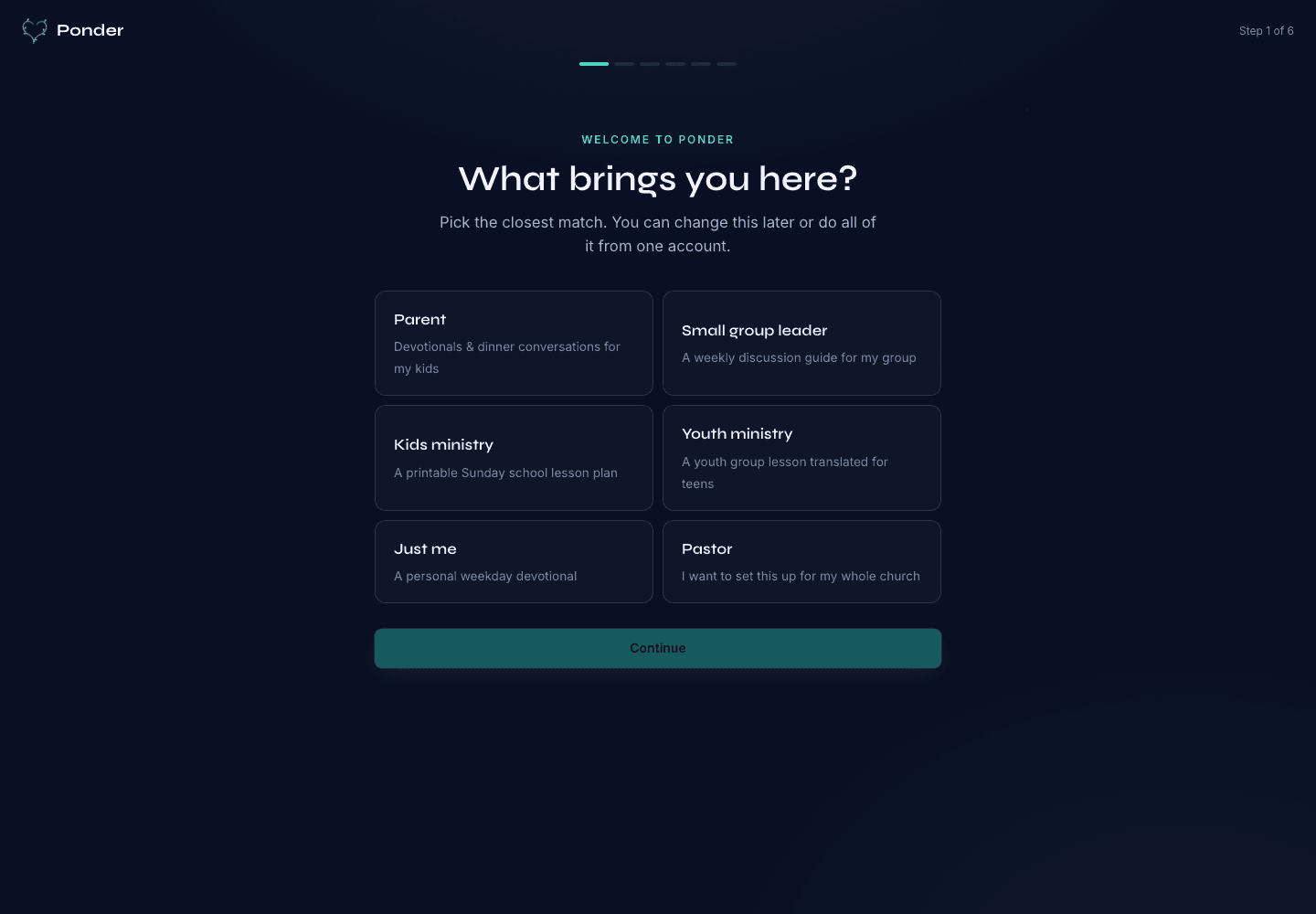
Ponder actual onboarding screen showing persona choices for parents, group leaders, kids ministry, youth ministry, individuals, and pastors.
Choose the setting

Actual onboarding screen where a user starts by naming the discipleship setting.

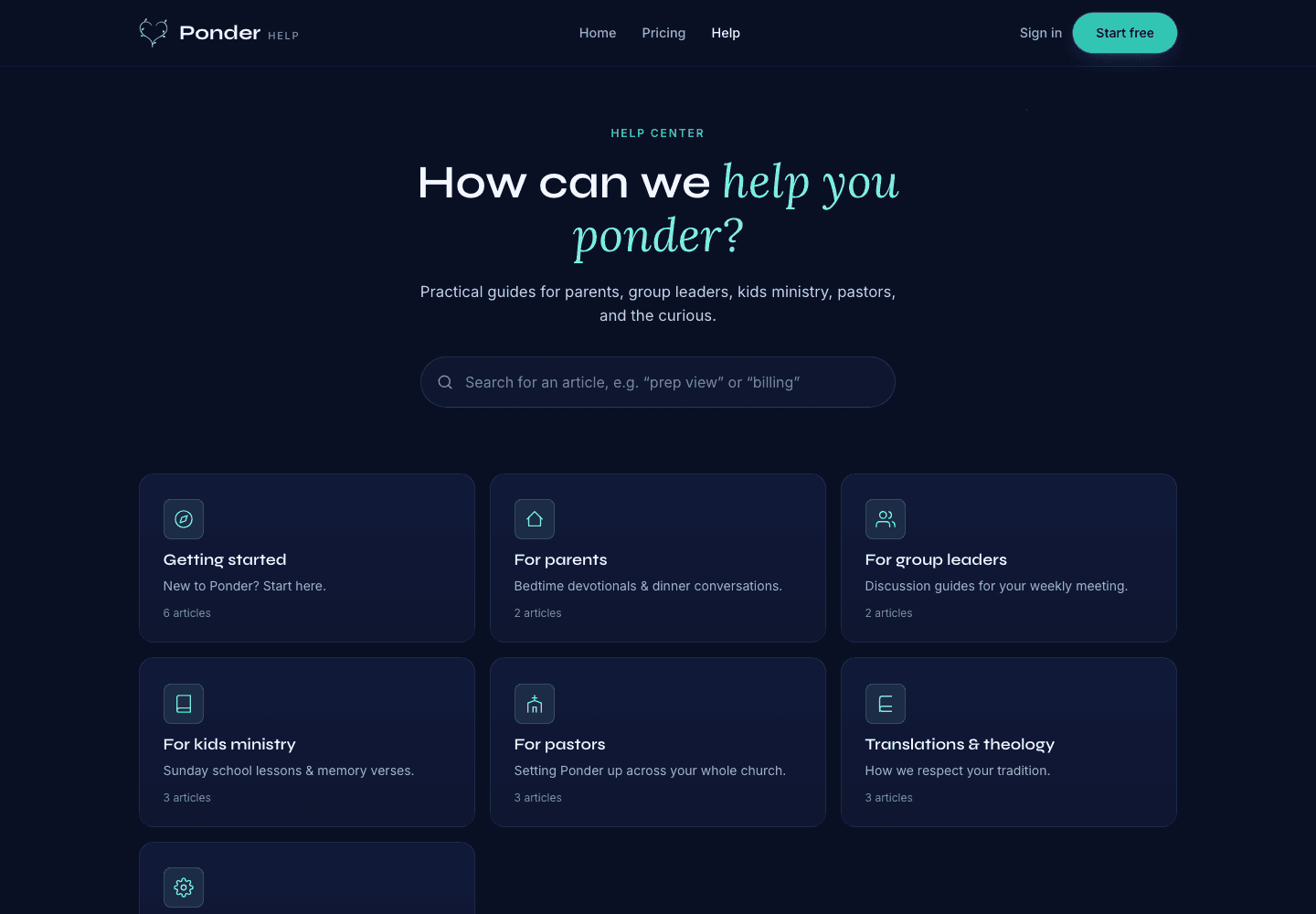
Ponder actual help center screen showing searchable support categories for parents, group leaders, kids ministry, pastors, and theology.
Find practical help

Actual help center screen with searchable support before and after a first sermon.

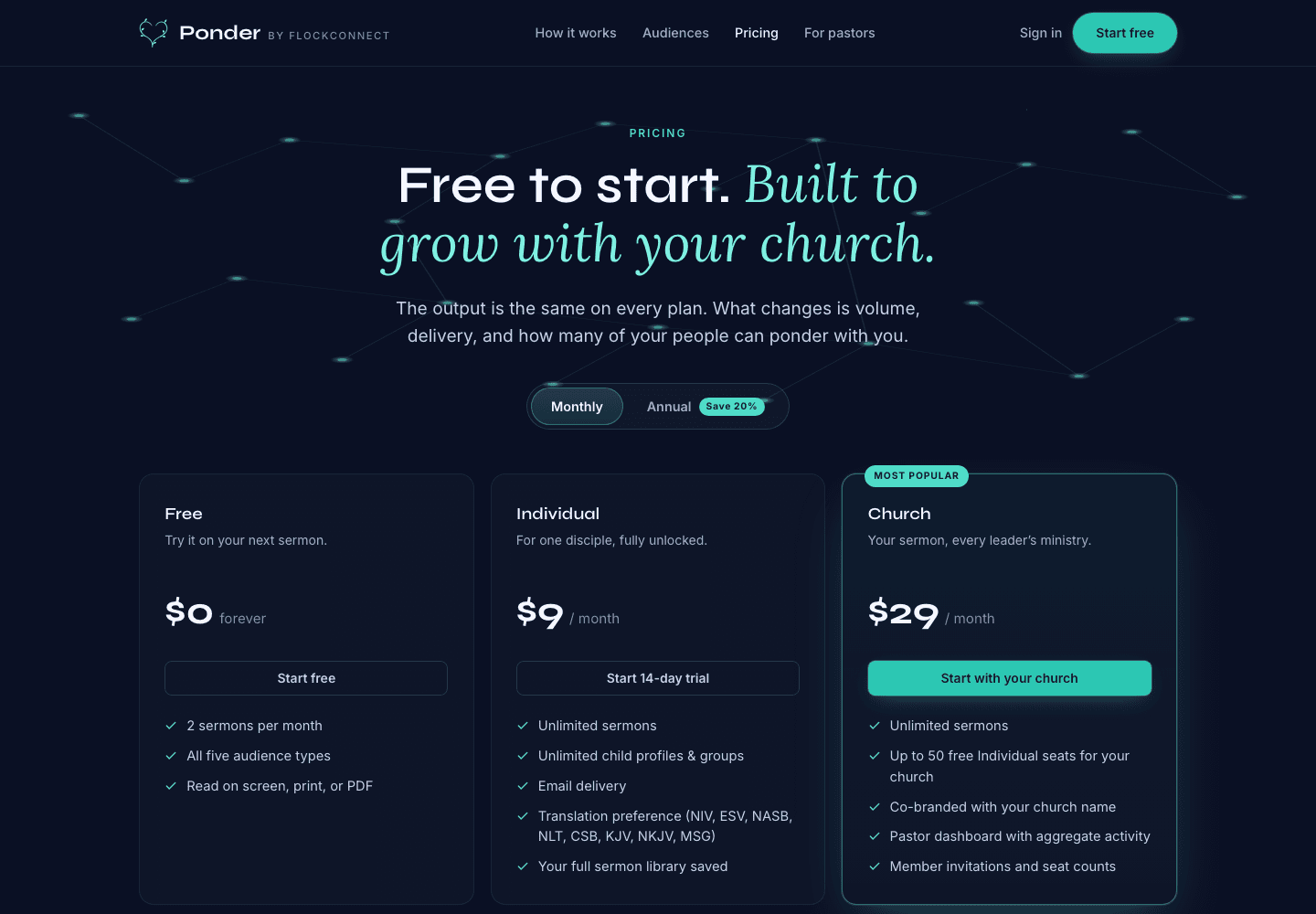
Ponder actual pricing screen showing Free, Individual, and Church plans.
Pick the right plan

Actual pricing screen showing the free start, individual plan, and church plan.

Best AI Sermon Tools For Sermon-To-Week Discipleship · Ponder