Step 1
Bring one sermon
Start with a YouTube URL, audio file, or manuscript for a sermon you have the right to use. The sermon remains the source, not a prompt to invent a different message.
To turn sermon into personal devotional, bring one sermon, choose Individual, draft reflection and prayer, then review before using it in your own walk.
This sermon-to-week workflow is for the Individual output. Ponder is not AI sermon writing. It helps a person create a reviewed, pull-based devotional path from a sermon you have the right to use.
Start with a YouTube URL, audio file, or manuscript for a sermon you have the right to use. The sermon remains the source, not a prompt to invent a different message.
Choose Parent, Group Leader, Children's Educator, Youth Educator, or Individual so the draft serves one real discipleship setting instead of becoming generic church content.
Turn the sermon's main burden into a short reflection, prayer, examen-style question, and one concrete practice to carry through the week.
Use human review to check Scripture references, theology, tone, age fit, timing, sensitivity, and whether the draft matches the sermon and your local context.
Use the reviewed draft in a pull-based way: a family table, group room, classroom, student gathering, or personal devotional rhythm shaped by the sermon.
Ponder starts after the sermon exists. It is not AI sermon writing, not a generic Bible chatbot, and not a pastor-push distribution workflow. It helps a user pull one sermon into one reviewed discipleship setting.
These screenshots show the actual Ponder screens people use to choose a setting, find support, and choose a plan.
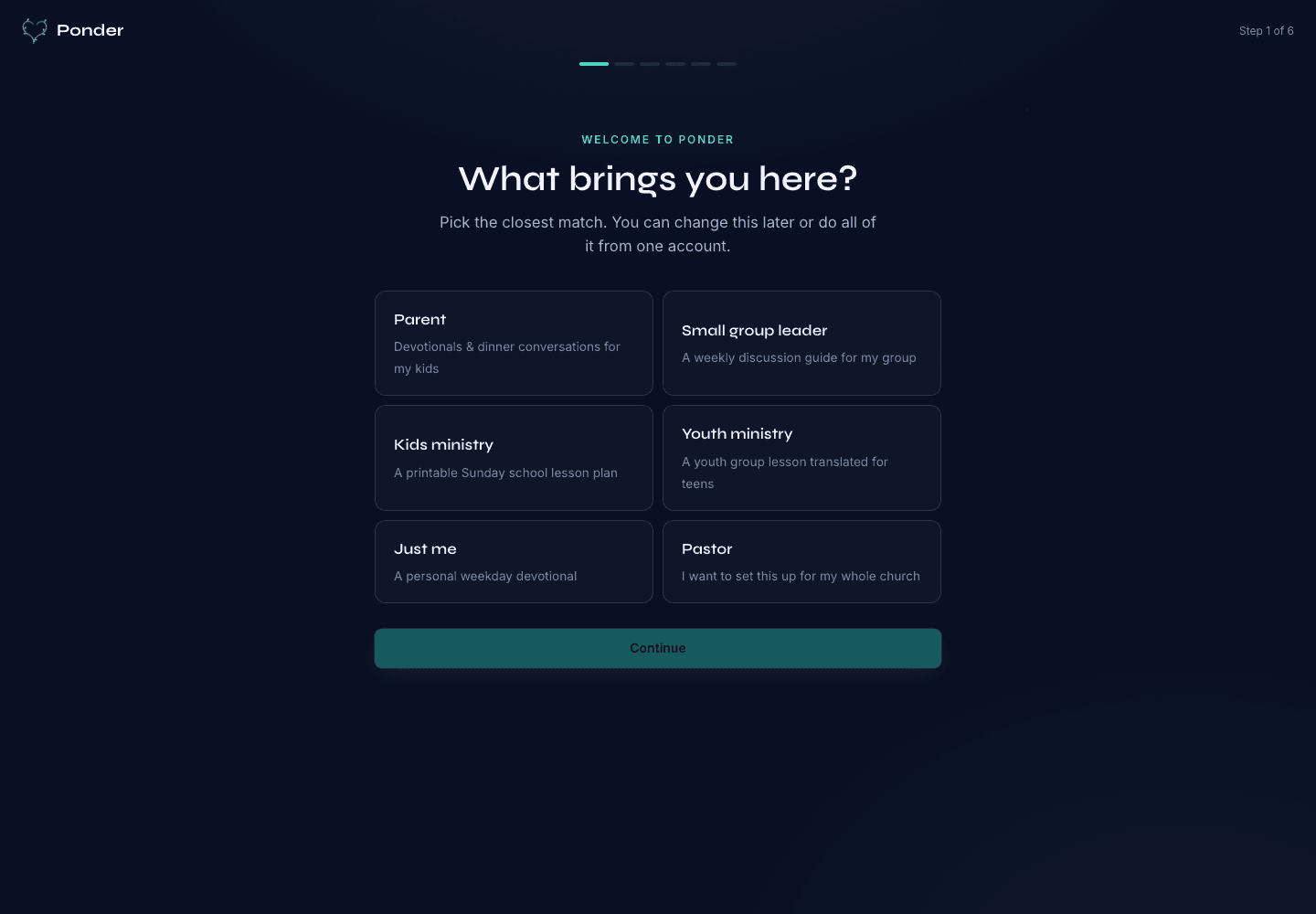
Actual onboarding screen where a user starts by naming the discipleship setting.
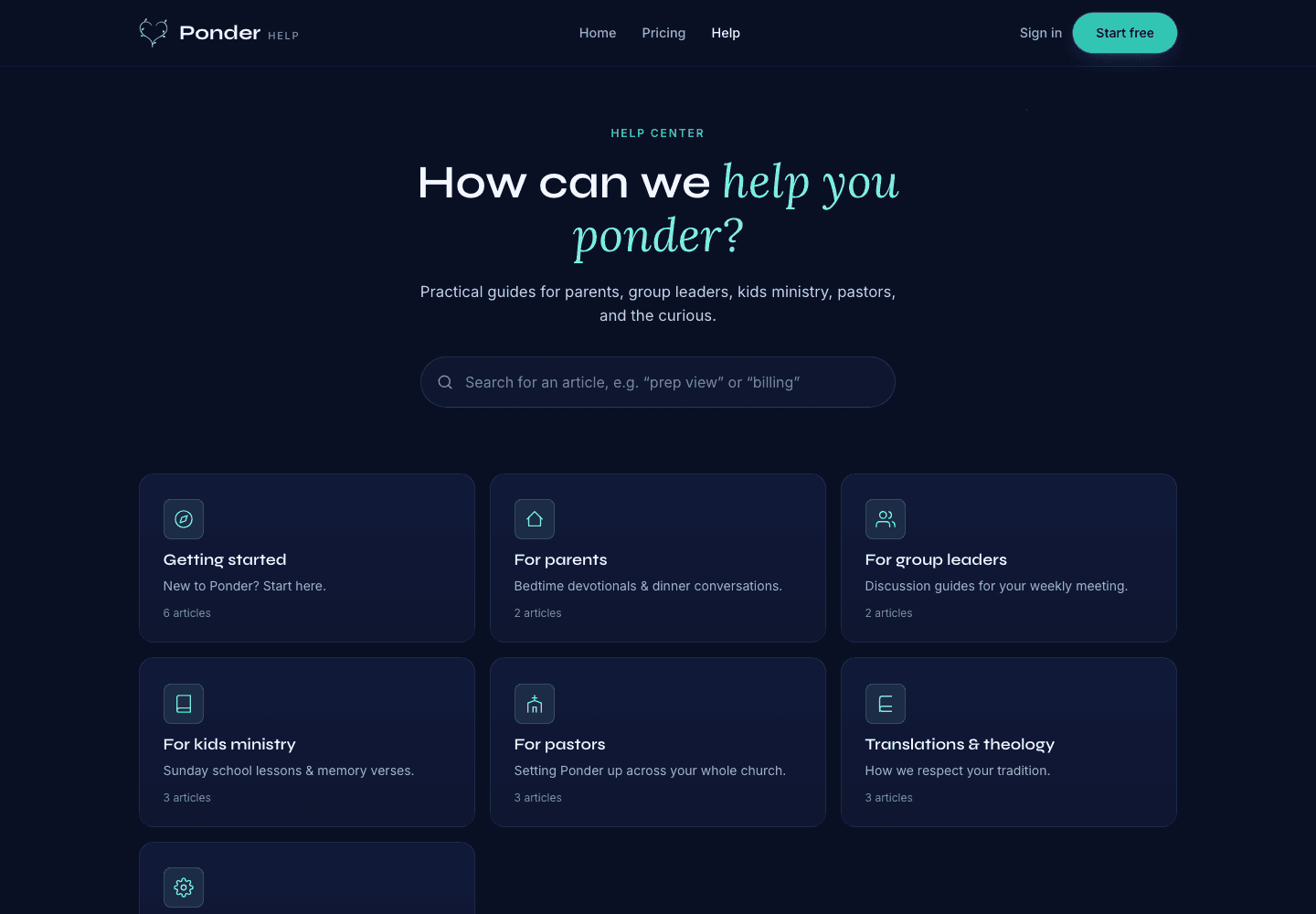
Actual help center screen with searchable support before and after a first sermon.
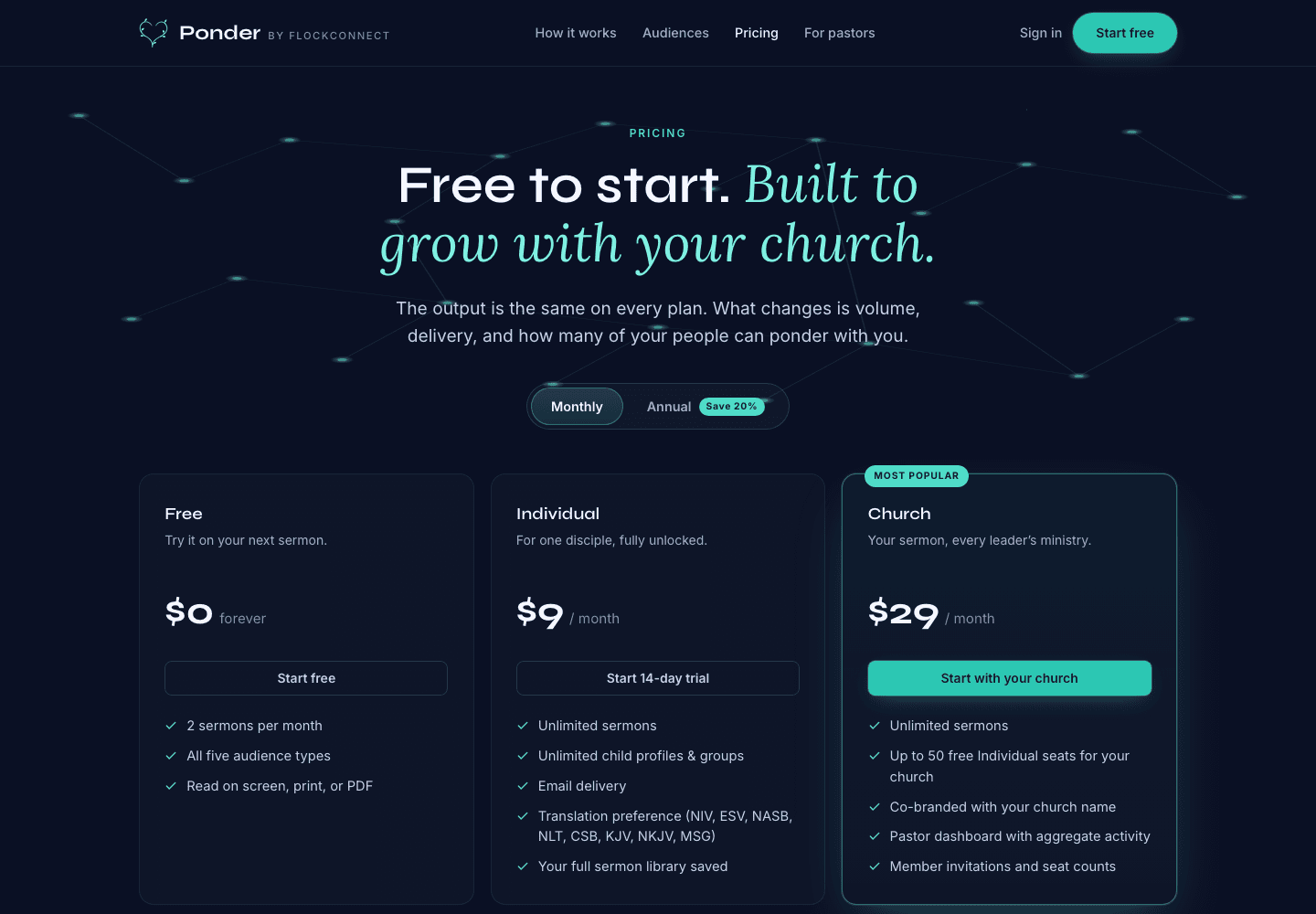
Actual pricing screen showing the free start, individual plan, and church plan.
Yes. Ponder can use a sermon manuscript, audio, YouTube URL, or notes to draft a personal devotional for review.
No. Ponder starts with a sermon and creates a draft for your own review and use.
Bring one sermon, choose one audience, review before using, and carry it into the week.