Ponder/Help/Troubleshooting a generation that did not finish
Account and billing

Troubleshooting a generation that did not finish

What to try when transcription, generation, scripture verification, or export fails.

Generation can fail because a source cannot be read, transcription is unavailable, AI output does not validate, or scripture verification catches a bad reference. Most failed runs are either source problems or service-side interruptions.

What to try first

Try a different input format, shorten an extremely long manuscript, wait a minute, and start again. If the sermon source has unusual audio or YouTube blocks access to the video, paste a manuscript when possible.

  1. If YouTube fails, try audio upload or a pasted manuscript.
  2. If audio transcription looks wrong, use a cleaner recording or manuscript.
  3. If scripture verification blocks the draft, review the sermon source for unclear references.
  4. If PDF export fails, keep the library draft and try export again after a refresh.

When to contact support

Contact support with the account email, sermon source, audience selected, and what happened. Do not send private child details or sensitive pastoral information unless support specifically needs it.

What to include

A good support note helps us find the failure without asking for unnecessary personal context.

  • The account email.
  • The sermon input type: YouTube URL, audio file, or manuscript.
  • The audience selected.
  • The error message or the step where it stopped.

If Ponder can safely identify a service-side failure, it refunds the usage slot. User input problems may need a new attempt.
Frequently asked questions

Do failed generations count against my limit?

If Ponder can safely identify a service-side failure, it refunds the usage slot. User input problems may need a new attempt.
Review before using.

Ponder support articles describe the intended workflow. Generated output still needs human review before teaching, sharing, or using it with a child, student, group, or church.

Screens from the app

Connect this article to the real product.

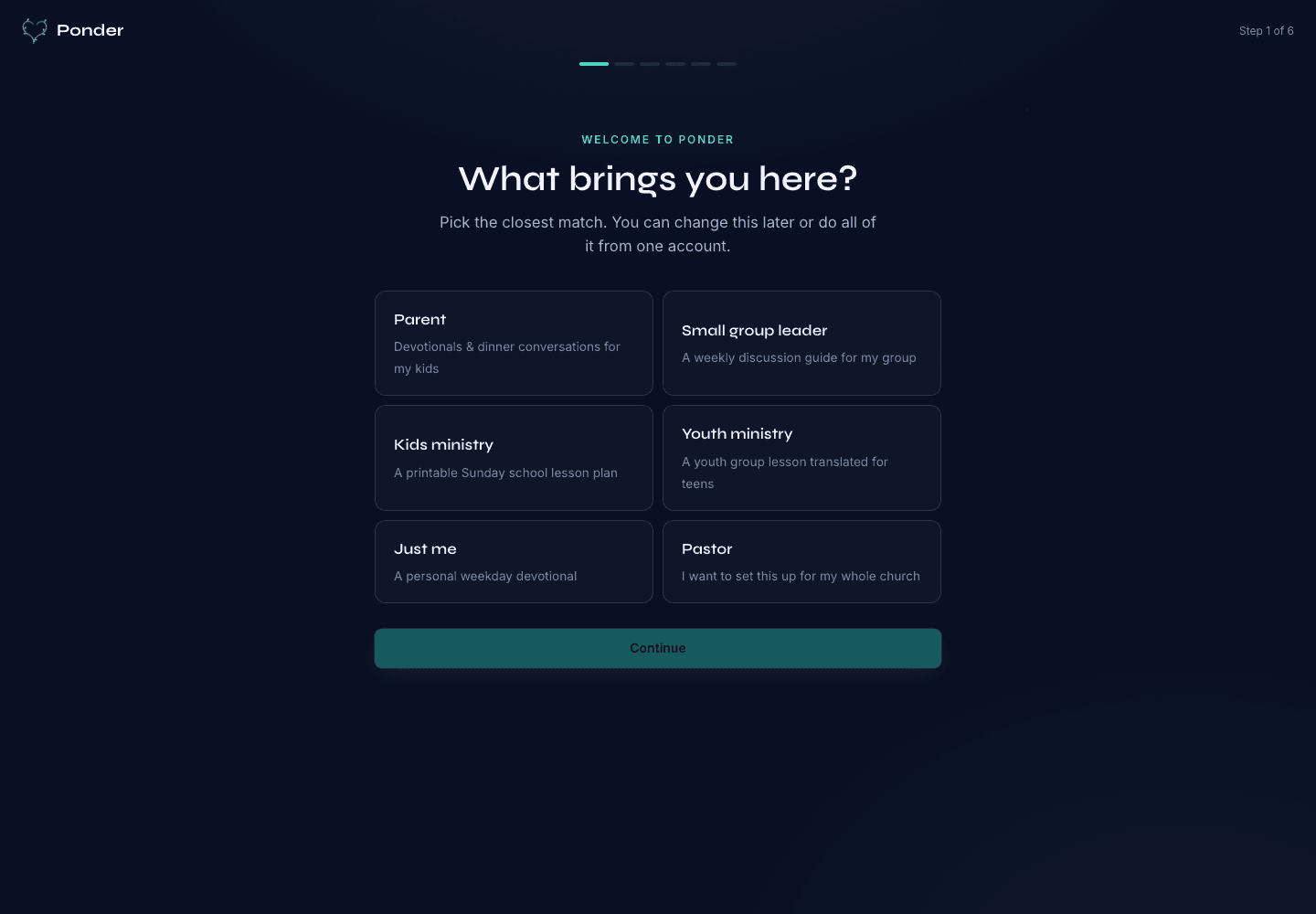
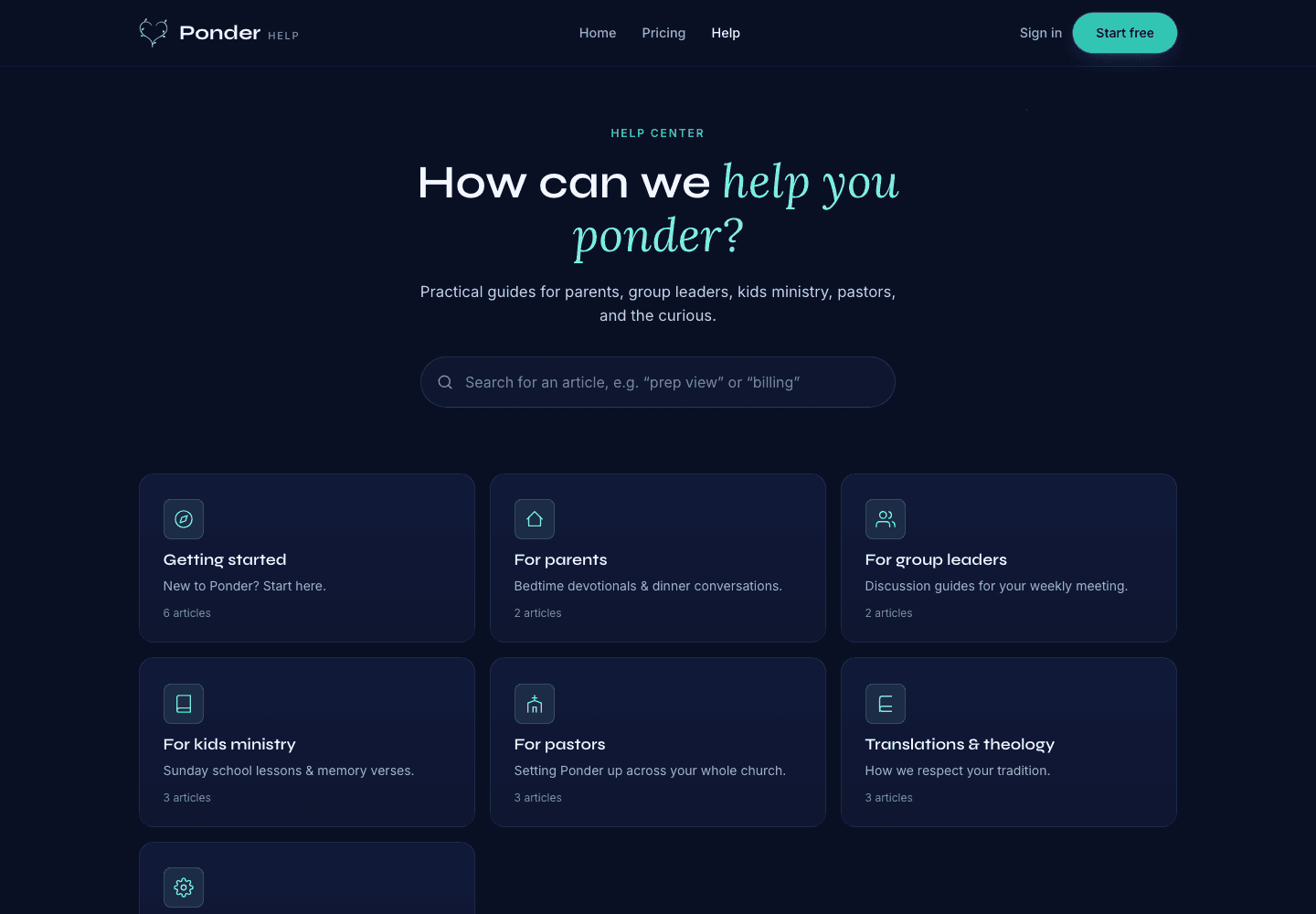
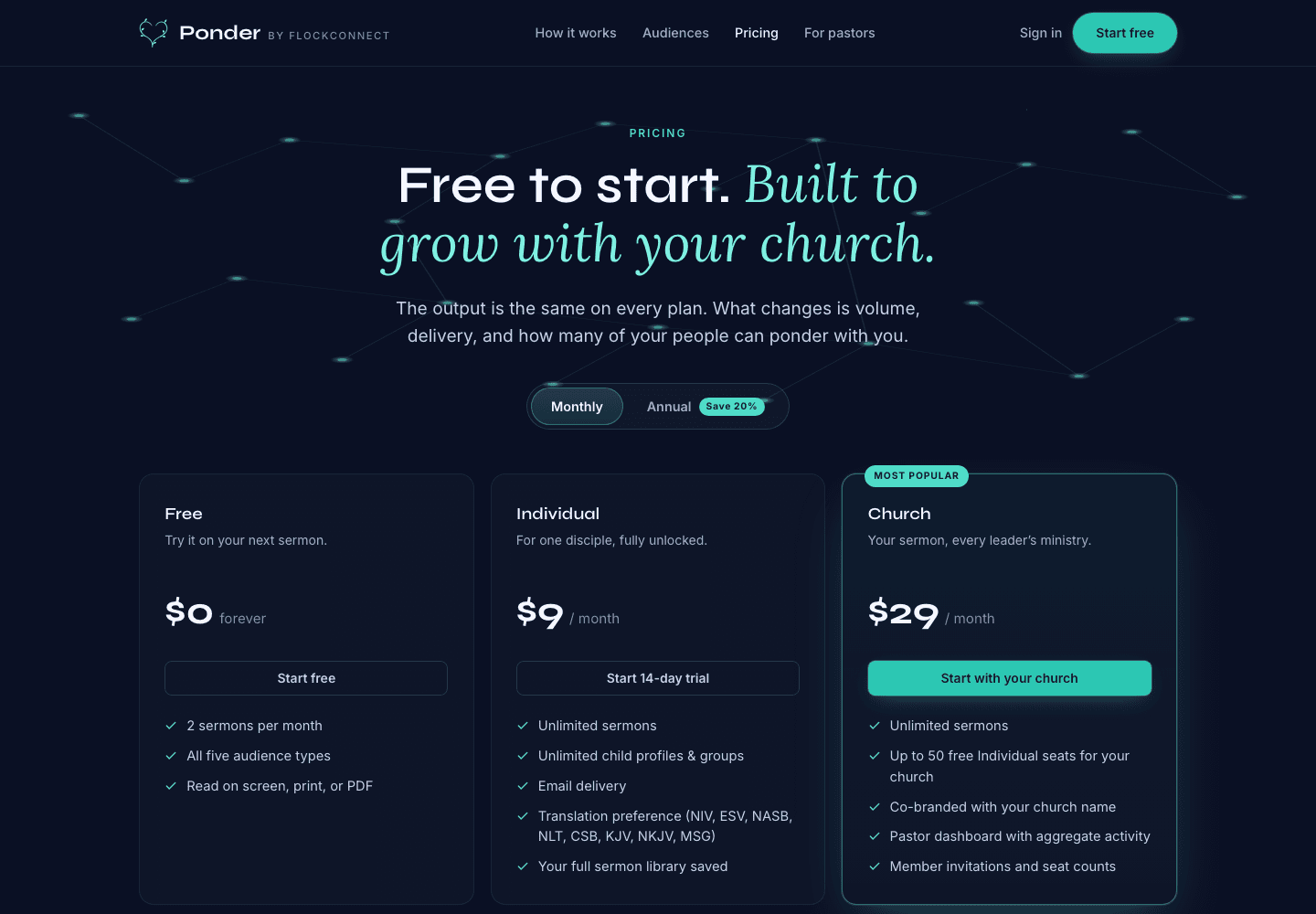
These actual screenshots show the onboarding, help, and pricing screens a user may see while following support guidance.

Ponder actual onboarding screen showing persona choices for parents, group leaders, kids ministry, youth ministry, individuals, and pastors.
Choose the setting

Actual onboarding screen where a user starts by naming the discipleship setting.

Ponder actual help center screen showing searchable support categories for parents, group leaders, kids ministry, pastors, and theology.
Find practical help

Actual help center screen with searchable support before and after a first sermon.

Ponder actual pricing screen showing Free, Individual, and Church plans.
Pick the right plan

Actual pricing screen showing the free start, individual plan, and church plan.

Related articles

Troubleshooting a generation that did not finish · Ponder